How it works
From first menu to full diary, in one afternoon.
No mock-ups on this page — every picture below is the real product, photographed mid-service at The Copper Pot, our fictional inn in Bath. Prefer to poke it yourself? The demo is open, no signup, nothing to break.
Step 01 · The pass
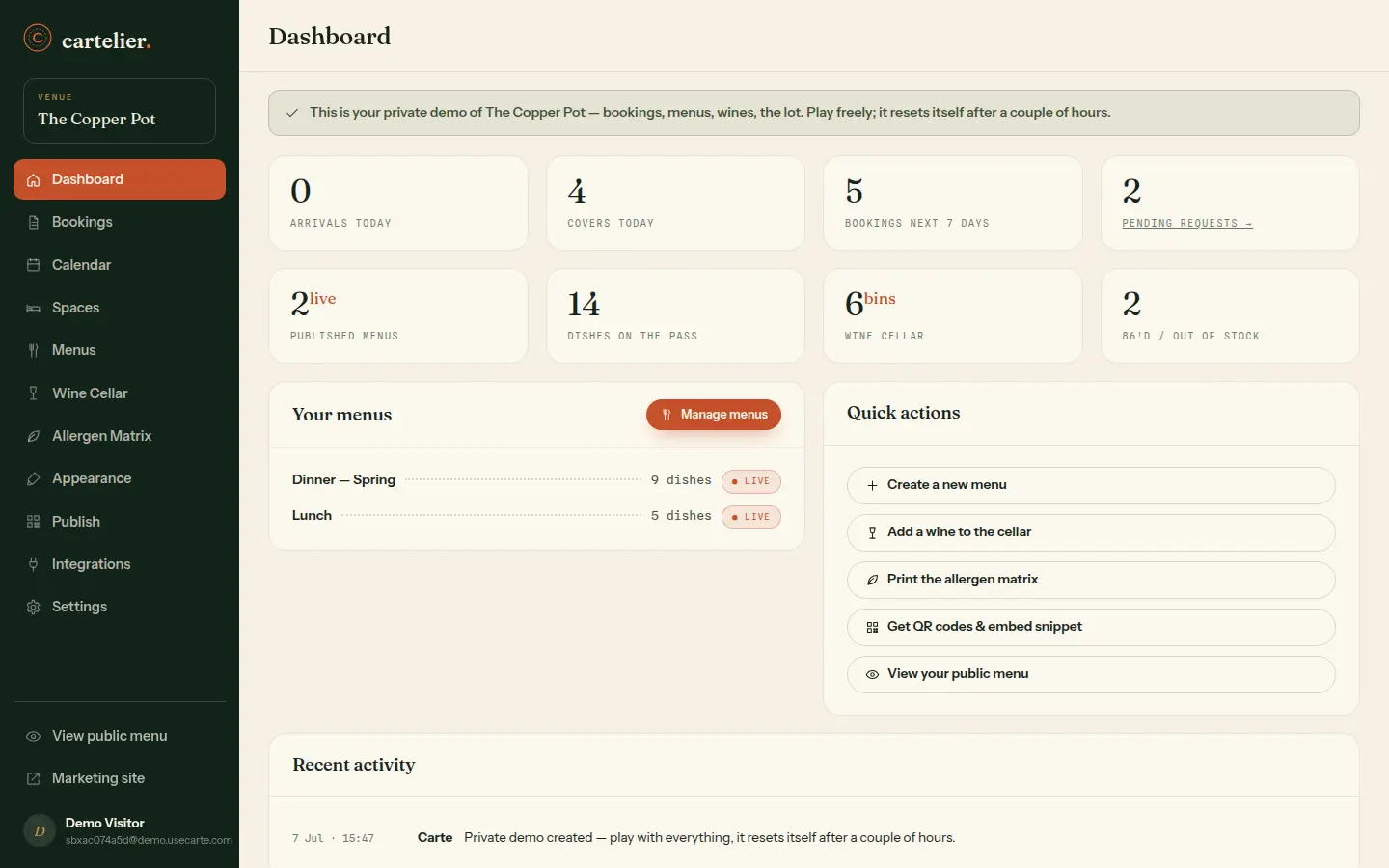
One quiet dashboard for the whole house
Log in and the day is already plated: who arrives today, how many covers are booked, which requests are waiting on your say-so, what's 86'd. No hunting through tabs — the numbers that matter, counted for you.
- Arrivals, covers and pending requests at a glance
- Live menu, cellar and stock counts from one source of truth
- An activity feed that remembers every change, and who made it
Step 02 · Menus
Write the menu once. It's live everywhere.
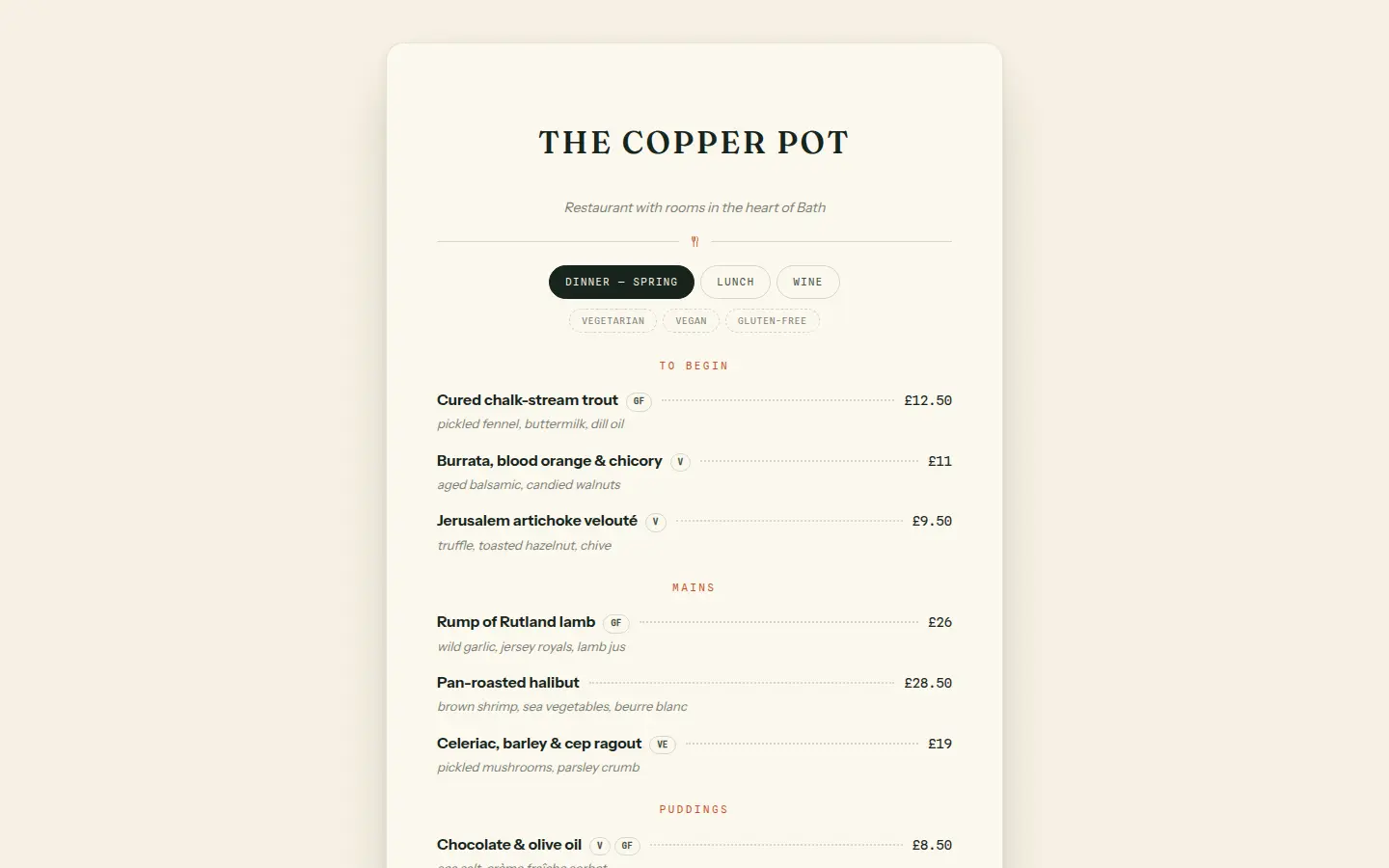
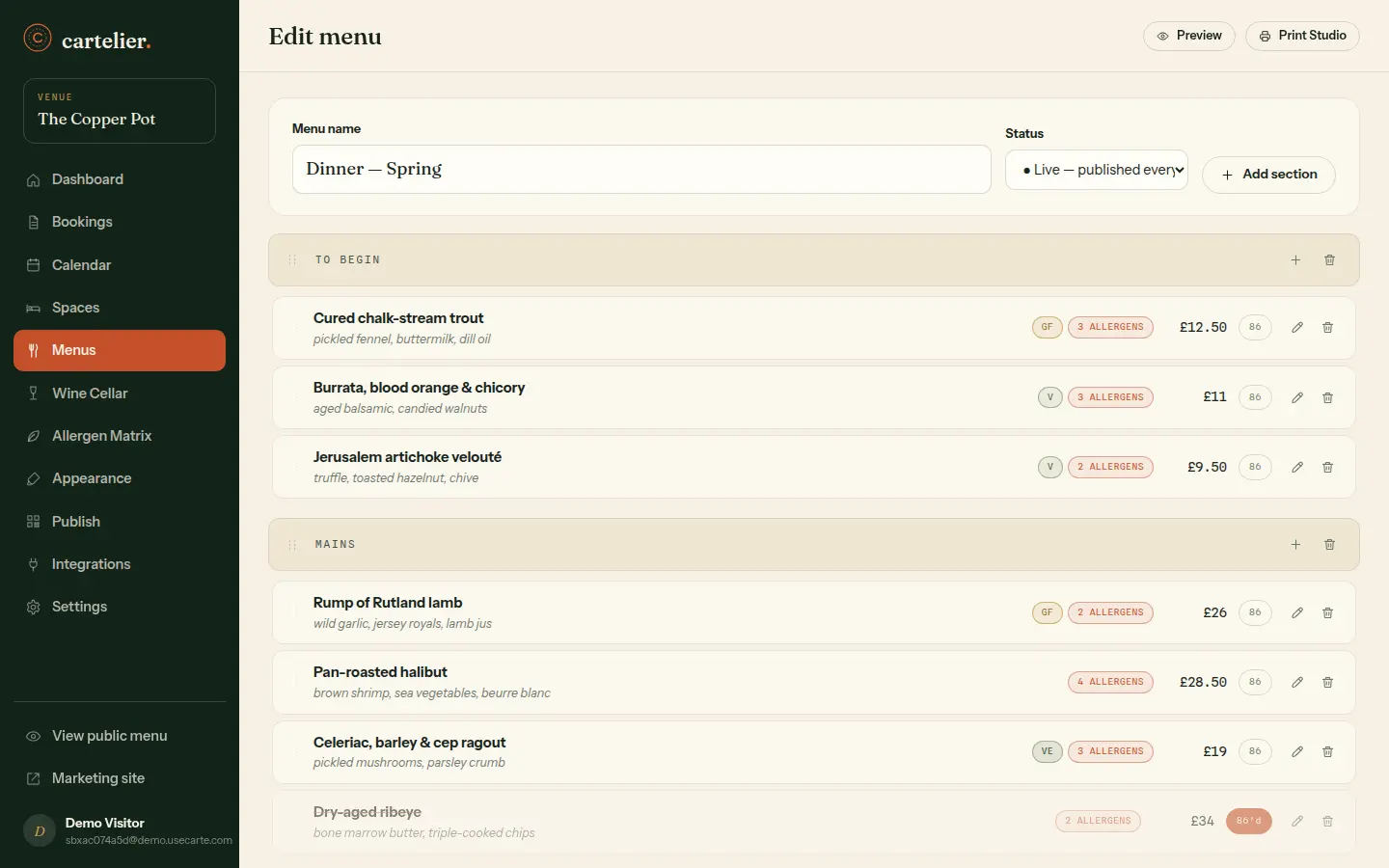
Sections, dishes, prices — drag them into the order you'd call them at the pass. When the ribeye runs out at 7:42pm, hit 86 and it disappears from your website, your QR menus and tomorrow's print file in the same breath.
- Drag-and-drop sections and dishes, edited in place
- 86 a dish and every published copy updates instantly
- Dietary chips and allergen counts sit right on the row
Step 03 · Wine cellar
Give every bottle a bin
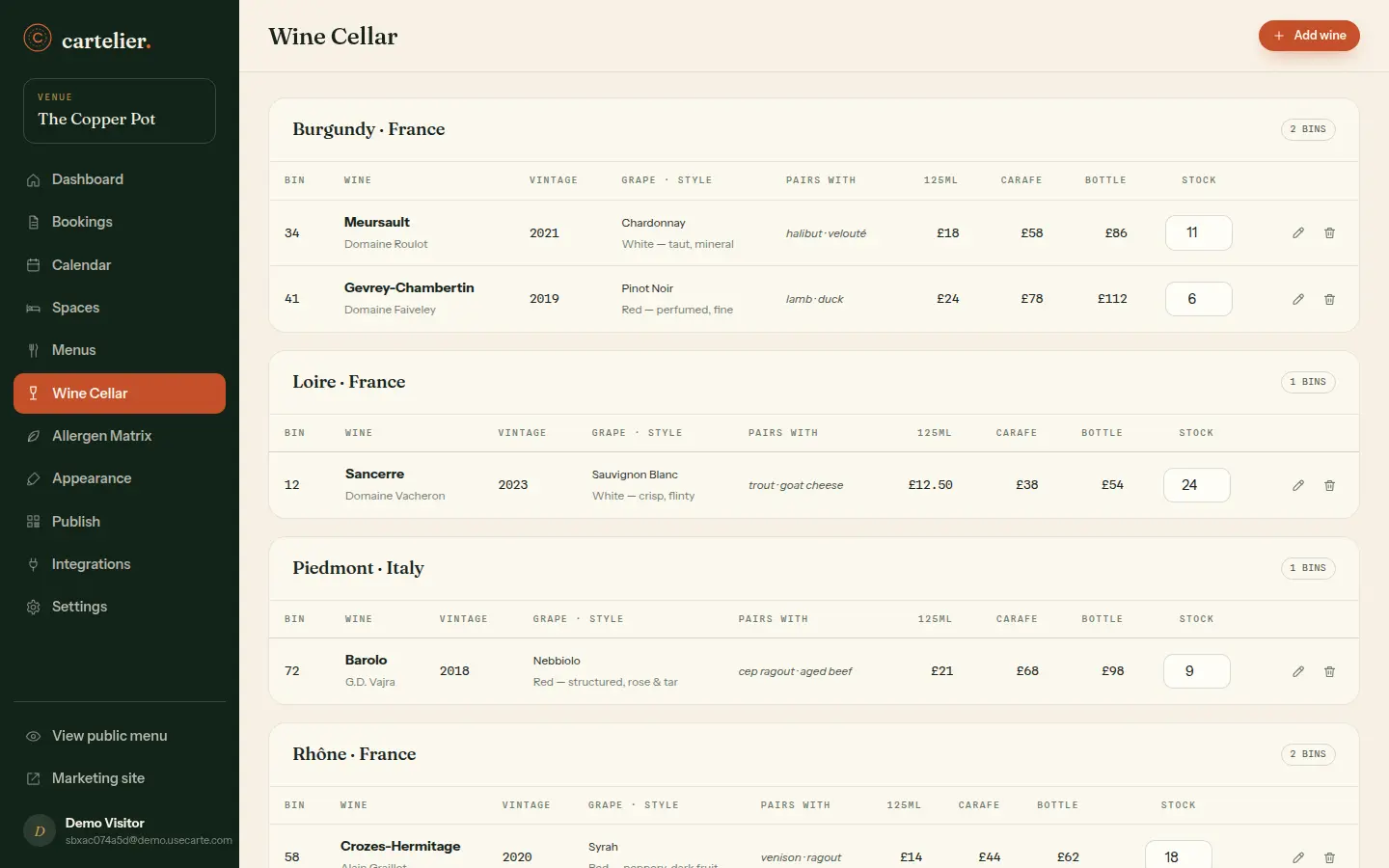
Producer, vintage, region, what it loves on the plate — the cellar keeps the details your sommelier keeps in their head. Price by glass, carafe and bottle, and when stock hits zero the bin quietly steps off every list it appears on.
- Bins with producer, vintage, grape, style and pairings
- Glass, carafe and bottle pricing on one card
- Stock counts that auto-hide a bin at zero
Step 04 · Allergens
The matrix your EHO dreams about
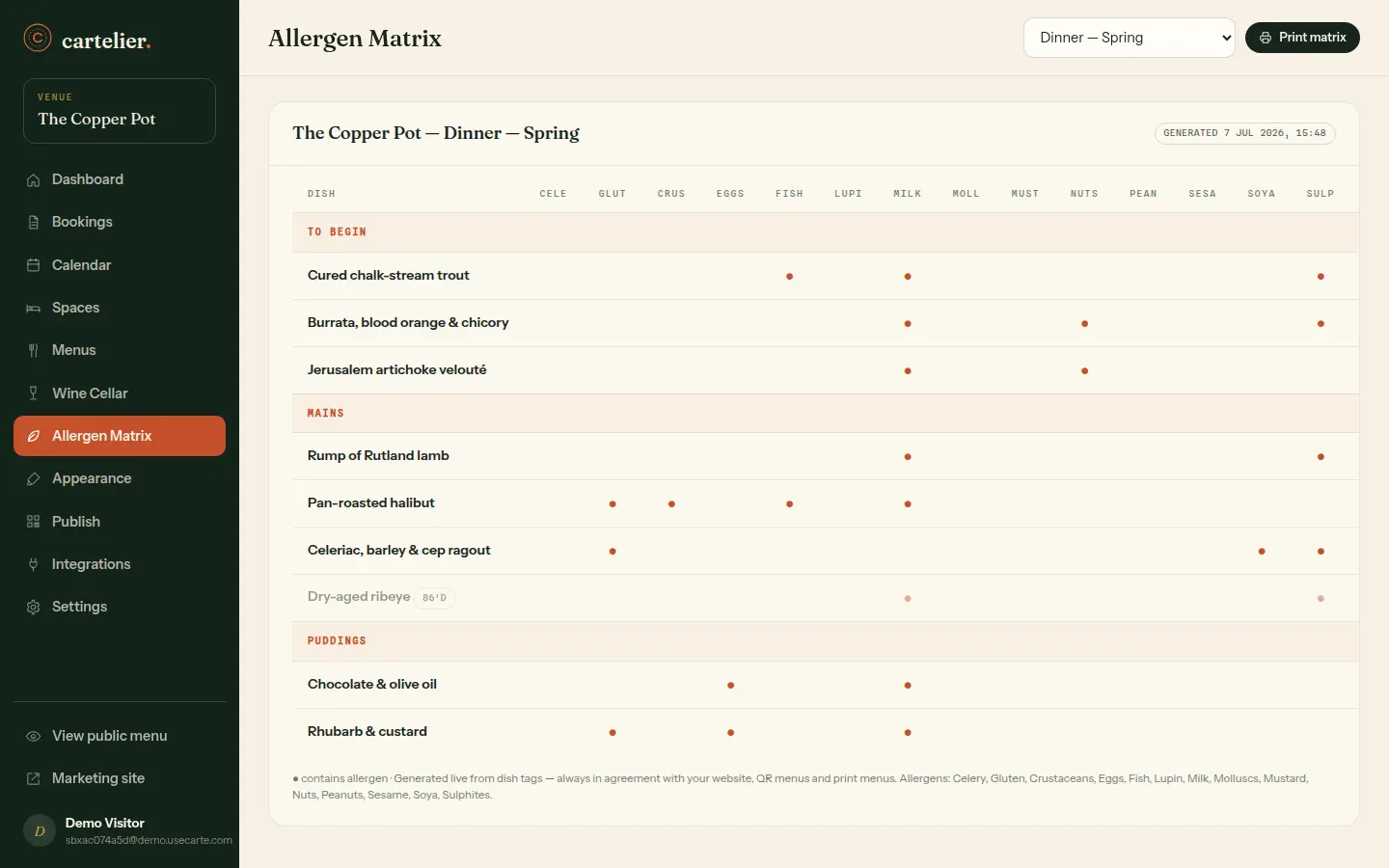
Every dish against all fourteen allergens, in one grid, always current — because it's generated from the same dishes you already edited. Print it for the pass, hand it across the counter, stop photocopying the laminated one from 2023.
- All 14 UK allergens across every live dish
- Updates itself the moment a recipe changes
- Print-ready for the kitchen wall or the counter
Step 05 · Publish
One button. Web, QR and print.
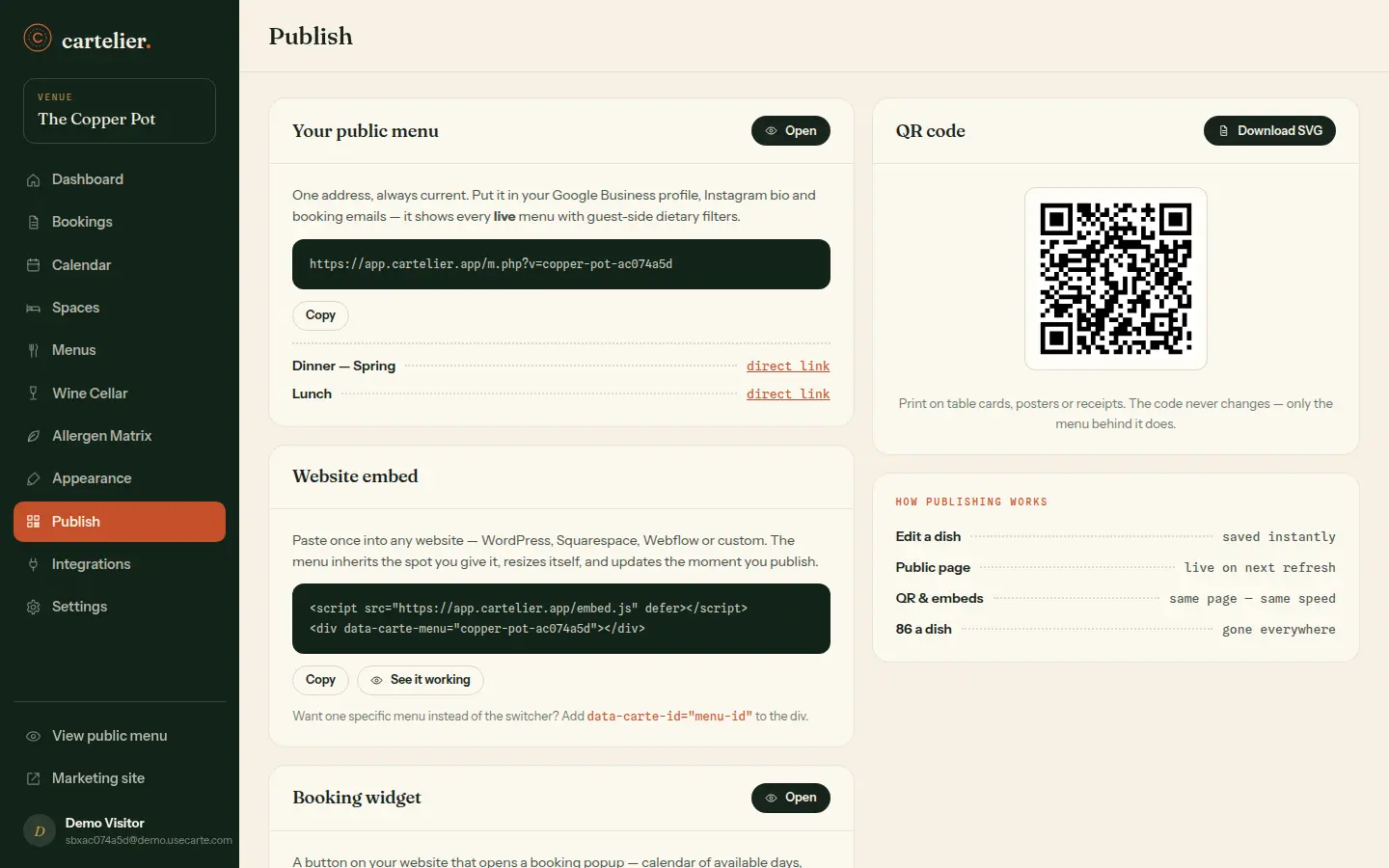
Your menu gets a hosted page, a QR code that never needs re-printing, an embed snippet for the website you already have, and a typeset PDF from the Print Studio. They all read from the same kitchen — publish once and everything agrees.
- Hosted menu page with schema.org markup baked in
- QR codes that survive every menu change
- A copy-paste embed and a print-ready PDF from the same source
Step 06 · Spaces
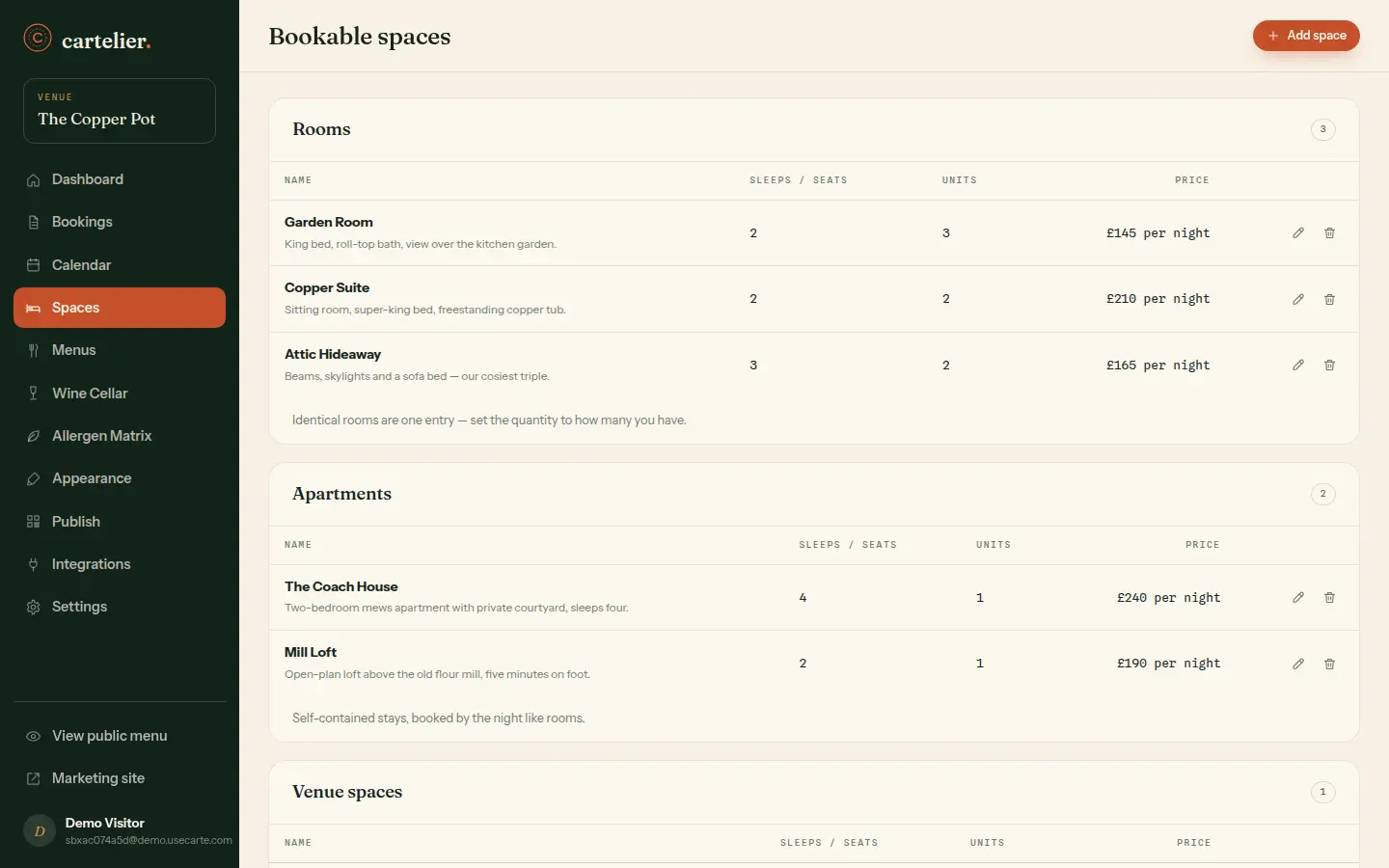
Open the house for booking
Rooms, apartments, tables, the whole venue for a wedding — each space gets its price, its capacity and its own rules. This is the part of Carte that turns a menu platform into the front desk.
- Rooms, apartments, venues and tables in one list
- Nightly, daily or per-person pricing per space
- Quantity and capacity handled per space — no spreadsheets
Step 07 · The widget
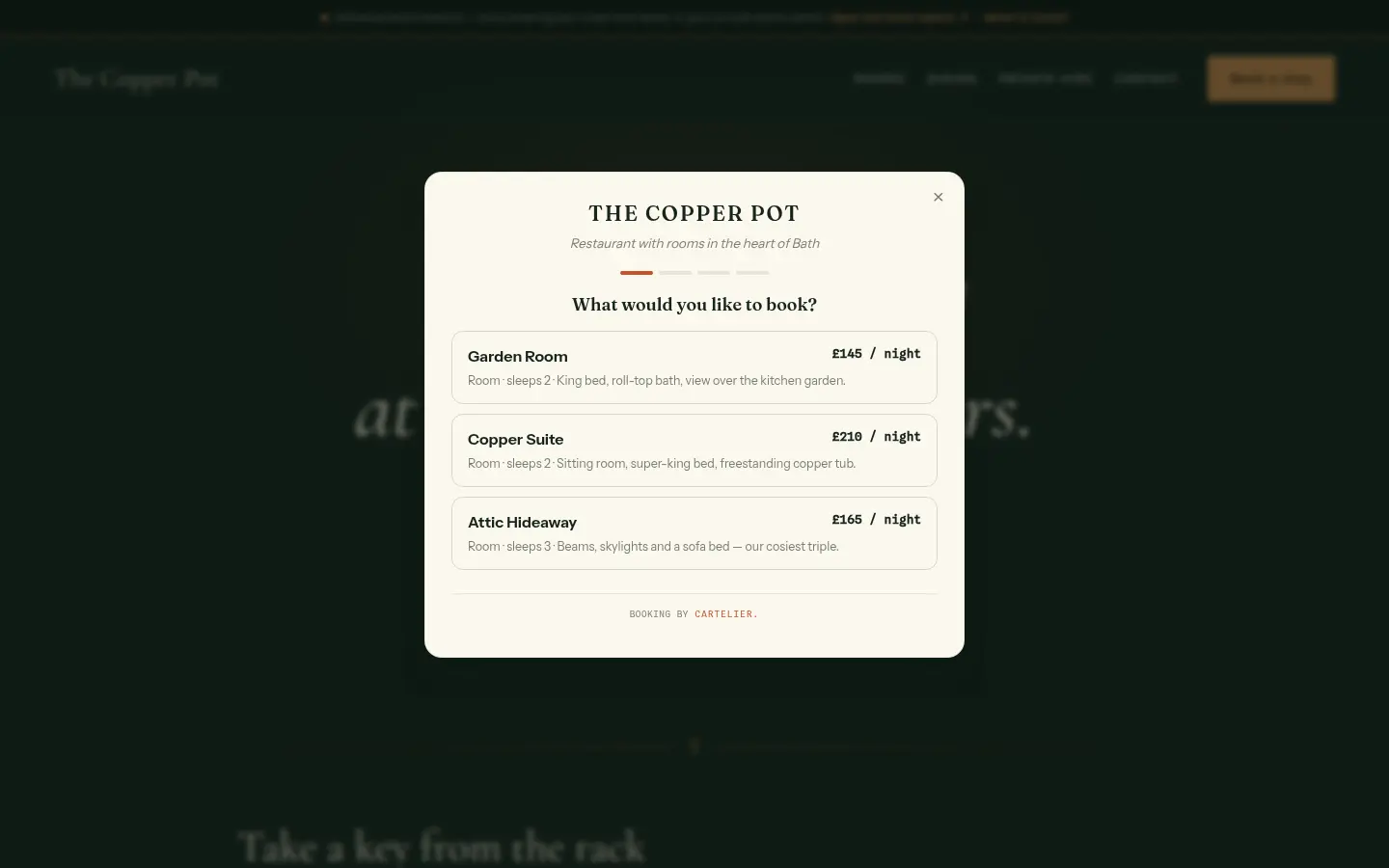
Bookings from your own website
Two lines of code on any site — WordPress, Squarespace, hand-rolled — and a button becomes a booking desk. Guests pick a space and a date against honest, live availability, and can pre-order dinner from the menu you published in Step 05.
- Popup or inline, styled to disappear into your site
- Live availability — double-bookings are structurally impossible
- Menu pre-ordering built into table bookings
Step 08 · The diary
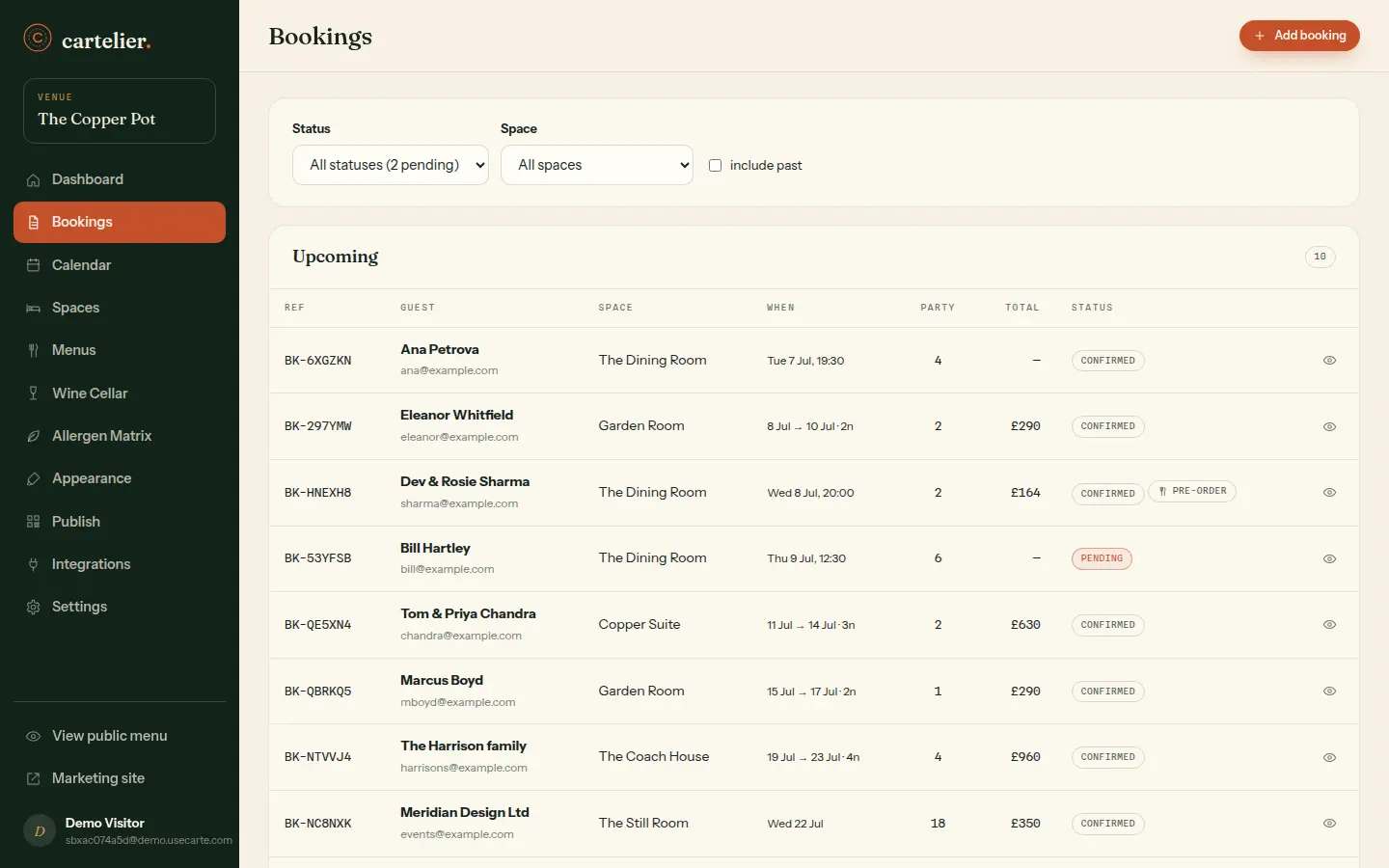
Run the book like a maître d'
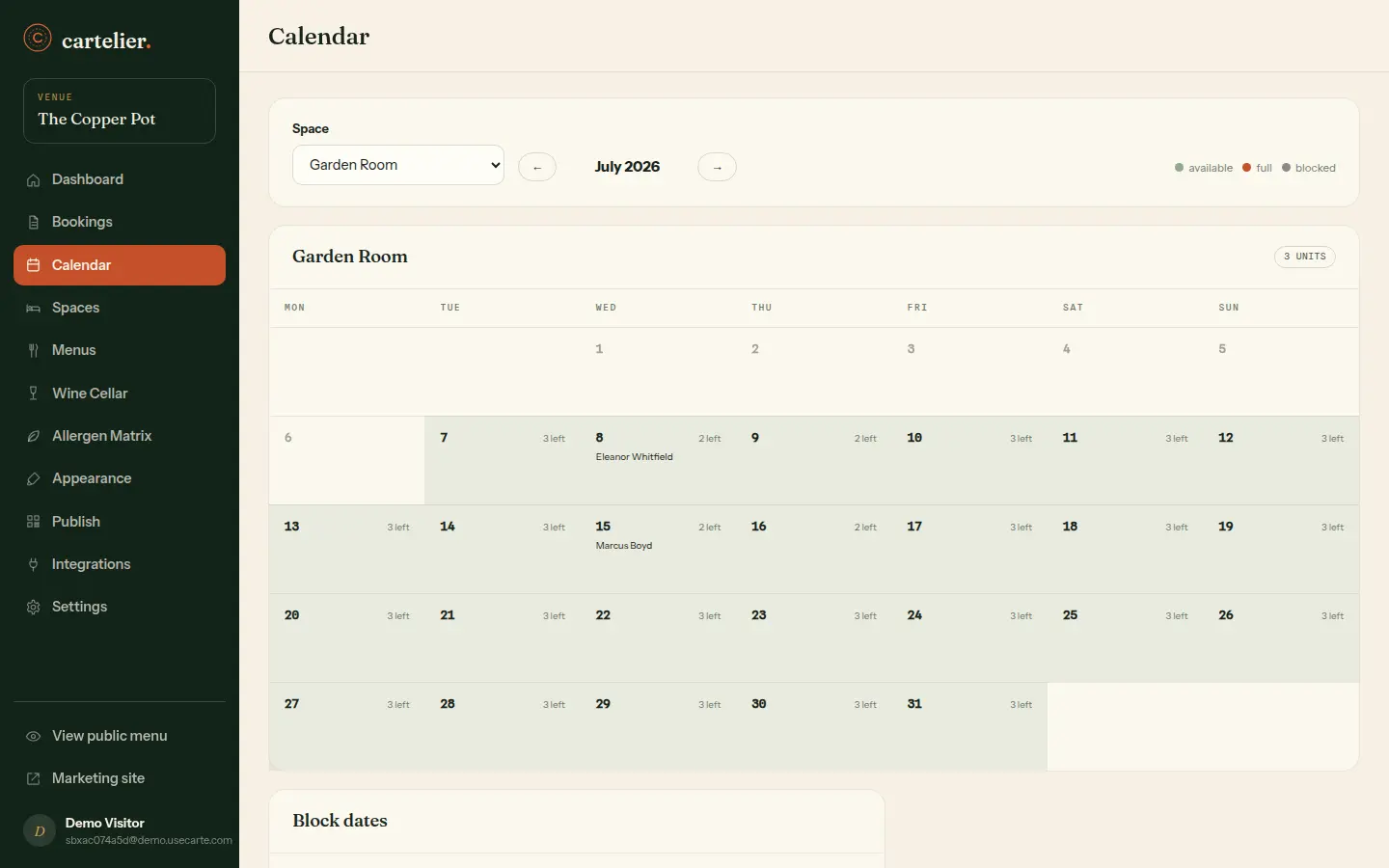
New requests queue for your nod — or confirm instantly, your call, per space. Every booking carries its guest, party, dates and pre-orders, and the calendar shows the month the way the front desk actually thinks about it.
- Confirm or decline pending requests in one click
- Pre-orders travel with the booking to the kitchen
- Guest emails sent and logged automatically
Step 09 · Appearance
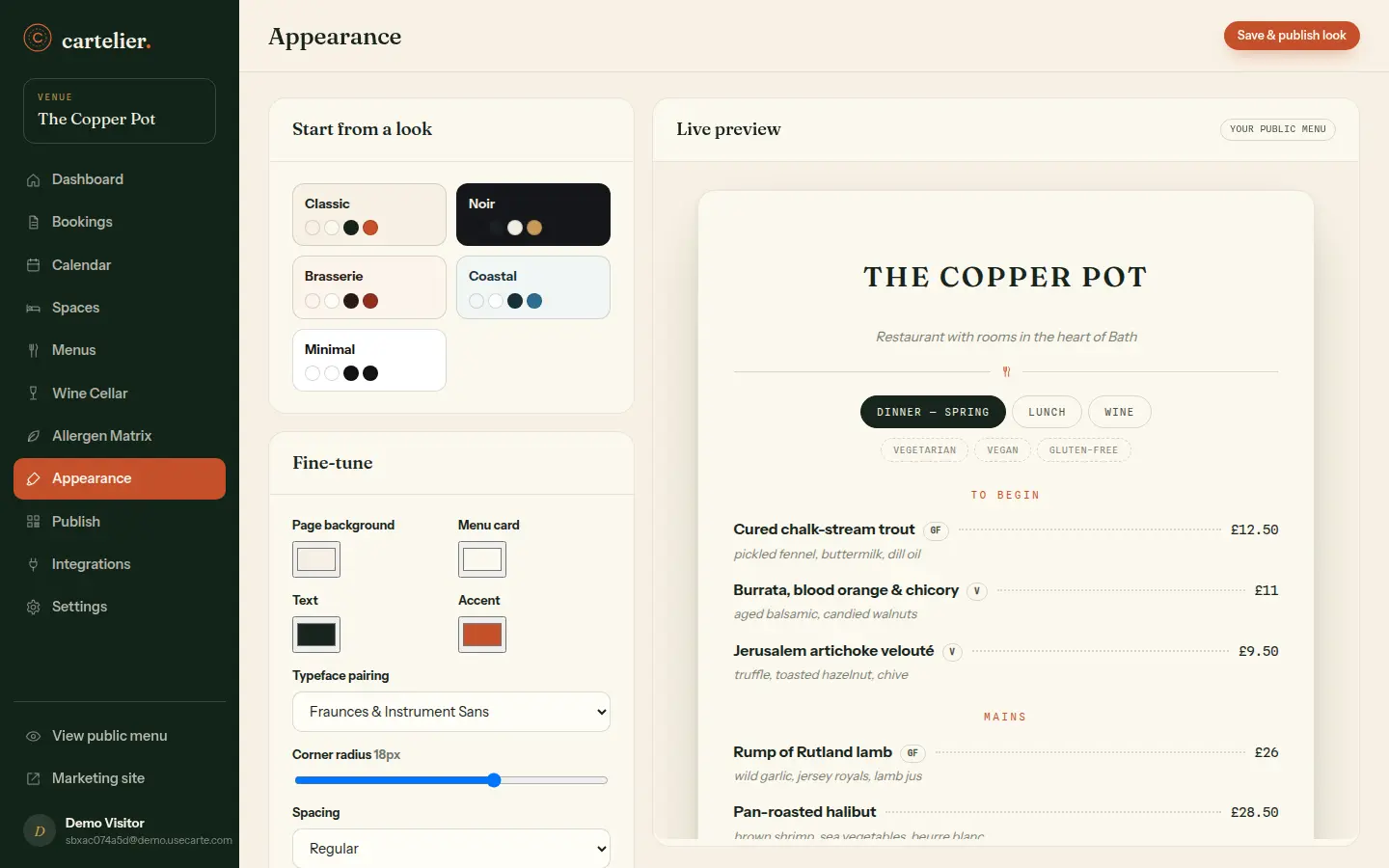
Your name over the door
The theme editor changes the face of everything at once: rename the venue, set your colours and type, and the new look walks through the entire system — hosted menu, booking widget, print PDFs, QR pages, guest emails. One edit, everywhere, instantly.
- Presets to start from, full control when you want it
- Venue name and branding update across every surface at once
- Live preview before anything goes public
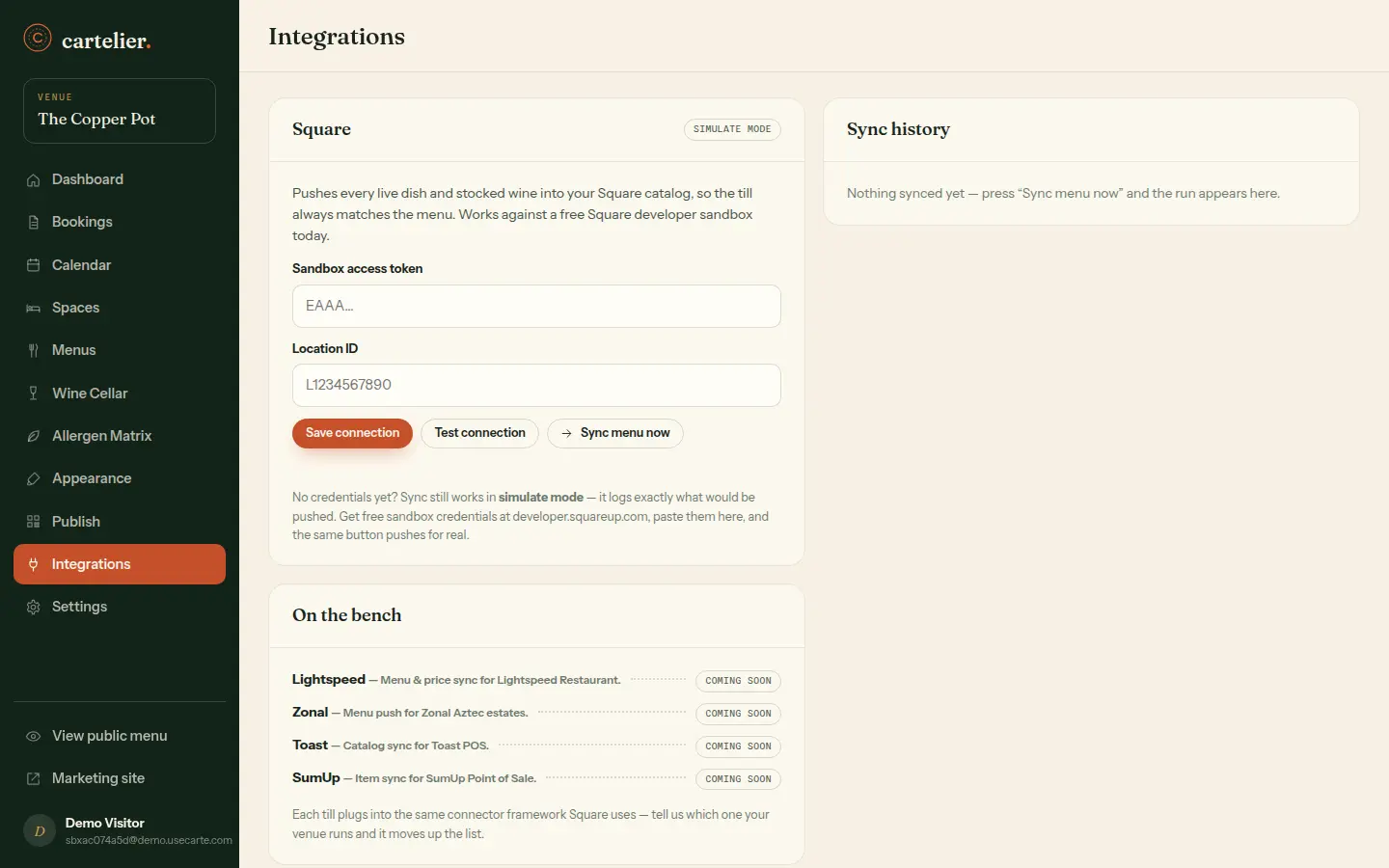
Step 10 · Integrations
Shake hands with the till
Connect Square and push the menu you already wrote straight to the till — names, prices, the lot. Every sync is logged, and the connector framework means more EPOS names join the queue without you re-entering a thing.
- Square sync in sandbox or live, test connection first
- Menu pushes logged, so you can see exactly what went where
- Built as a framework — more tills to follow
Still curious?
The rest of the tour, no guide required.